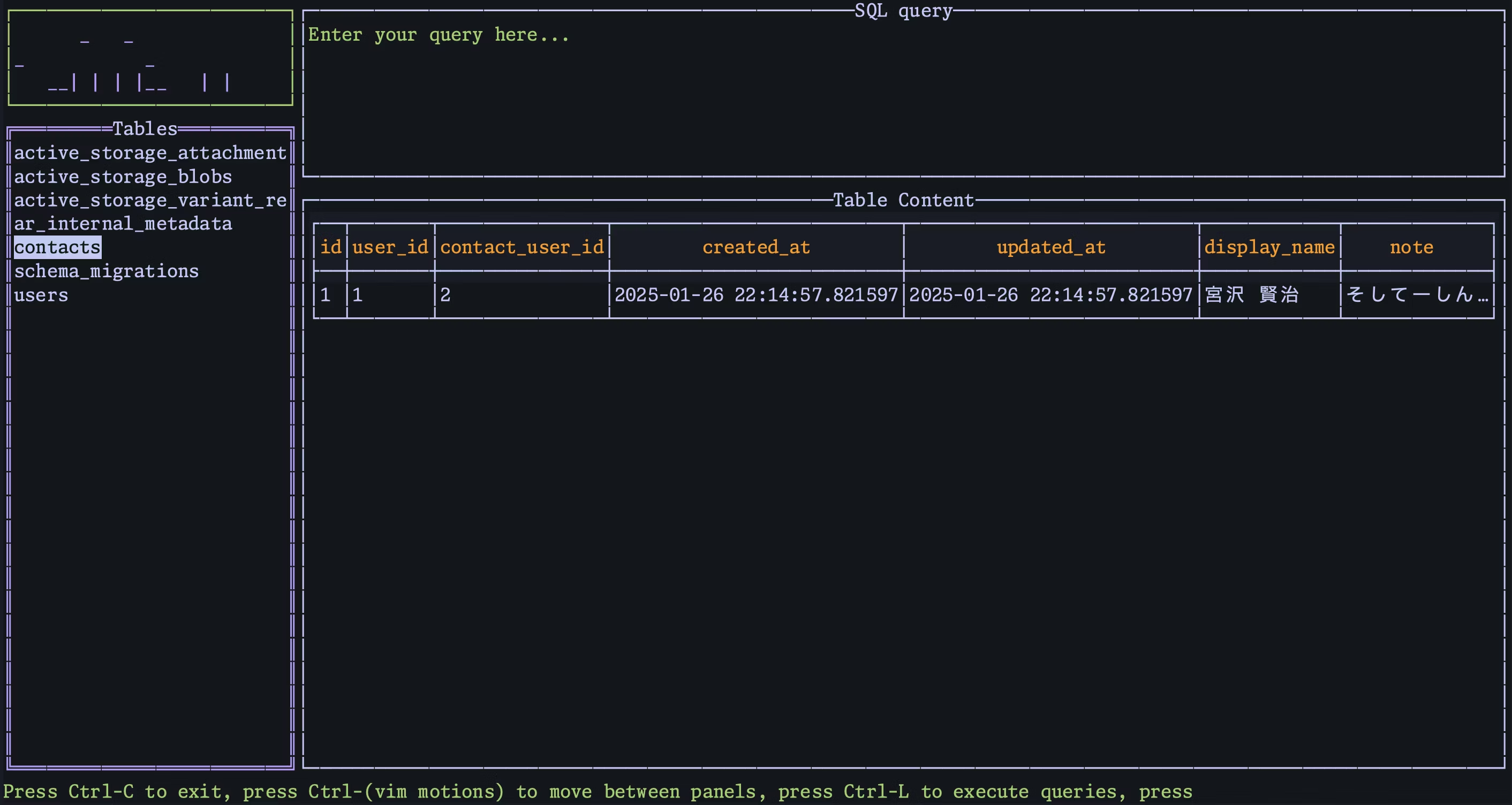
You can view your DB on zed via DBLab
I started using the Zed editor for all my coding instead of Pycharm because next month I have to renew my subscription to IntelliJ. But honestly, paying £239.00 a year just isn’t worth it especially since all I really noticed whats changed vs the free tier is the UI “looks nicer” and the database viewer is a nice add-on.
Then I discovered DBLab:
DBLab is a really fast DB client written on Go. You install the dep via brew:
brew install danvergara/tools/dblab
Then in your current directory, create a .dblab.yaml with the below format (replace the placeholders with your actual values)
database:
  - name: "sample"
    host: "localhost"
    port: 5432
    db: "users"
    password: "password"
    user: "postgres"
    driver: "postgres"
    schema: "myschema"
limit: 50
Then in your .zed directory you need to create a tasks.json and add the below'
 {
    "label": "DBLab",
    "command": "dblab --config",
    "hide": "always",
    "allow_concurrent_runs": false,
    "use_new_terminal": true
  },
and finally, add the hotkeys to your keymaps.json
  {
    "bindings": {
      "alt-d": [
        "task::Spawn",
        {
          "task_name": "DBLab",
          "reveal_target": "center"
        }
      ]
    }
  },
After that, whenever you have zed opened and press alt + d you should see something like